

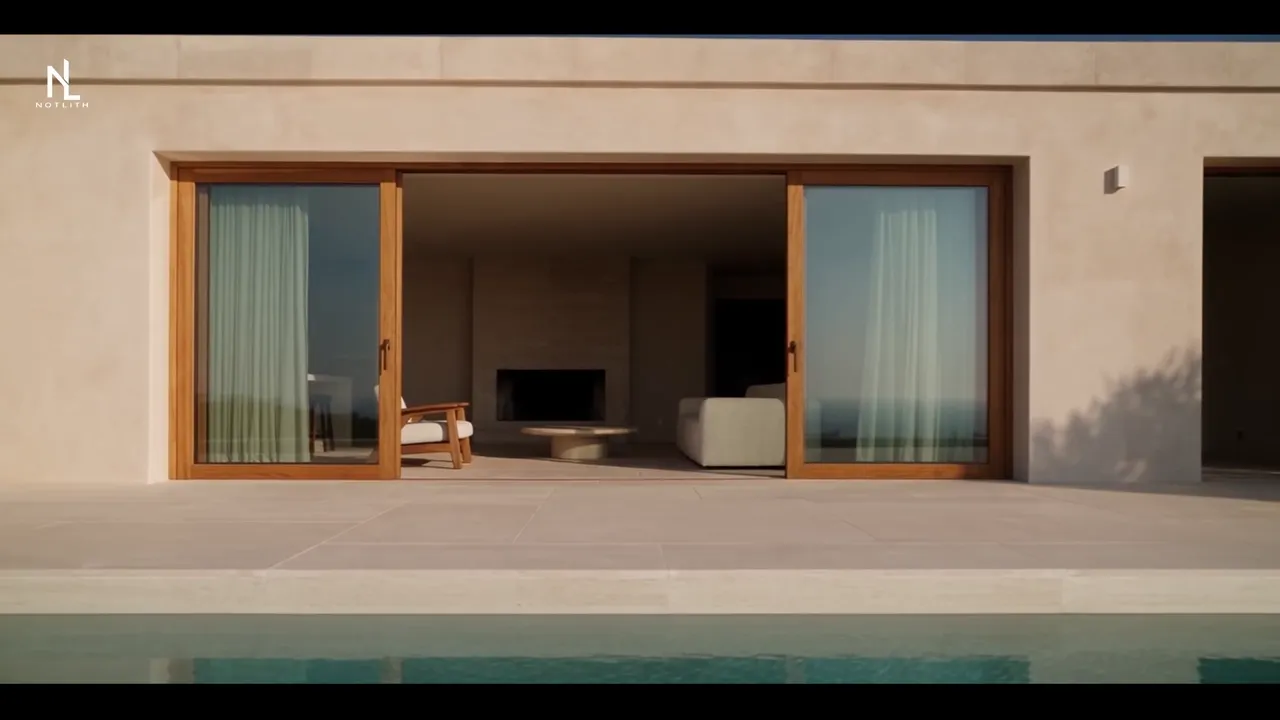
Listing photographs can become the starting point for a hybrid property film. The process creates movement from visual references; it does not record a walk through the building. A useful film must preserve the rooms, views and features that are actually documented. This guide starts with that distinction, then explains photo selection, generation checks and the work needed to finish an advert. Notlith provides a finished-film service, rather than a self-service photo animation tool.
A property concept, with its limits made clear
The Mediterranean villa is a demonstration of visual storytelling, not a customer listing or evidence of a London or Dubai property. Watch how the exterior, materials and interior views form a sequence. The final film does not establish a measured floor plan or a real drone flight.
English, adaptable to your language
Demonstration concept. Film generated with AI from photos and refined by hand. Production transparency
Start with the property, not the camera move
A property film can help someone notice the light, materials and relationship between a building and its setting. It should not require the viewer to guess which features exist. Before developing the sequence, decide whether the film is an atmospheric introduction, a factual tour or a description of an unbuilt proposal. Those are different jobs and need different evidence.
For an existing property, use current photographs of the actual spaces. Identify the exterior, principal rooms and details that the film must retain. A broad view through a window does not authorise the addition of a different landscape. An attractive generated room does not become part of a listing because it matches the architectural style. If furniture or decoration is changed as a visual proposal, describe that treatment explicitly instead of presenting it as the current condition.
Keep a list of features that cannot change: openings, levels, pool shape, adjoining buildings, permanent fittings and views. Mark uncertainties before production. When the references do not support a route between rooms, avoid a continuous virtual walkthrough that suggests the route has been recorded. Separate shots may communicate the property more honestly.
Notlith works remotely from supplied references. We do not visit the building, survey it or provide a camera crew. An actual recorded tour is the appropriate choice when the brief depends on documenting a route or showing a current condition as evidence. Our property and service films serve a different purpose: a crafted introduction built around the material available.
What image-to-video generation actually does
An image-to-video model uses a still image and an instruction to construct a changing sequence. The instruction may describe a gentle camera move, a lighting intention or a subject action. The frames it creates are new images, rather than moments recovered from a hidden recording of the original scene.
That matters whenever the camera reveals something the photograph did not show. A movement around a wall can expose an invented opening; a wider angle may suggest more space than the original documents. The result can look convincing while being factually wrong. A successful take therefore needs a comparison with the reference set, not just an assessment of whether it feels cinematic.
Begin with a modest intention. A restrained approach towards a documented façade is easier to assess than a flight around an unseen side of the property. The same principle applies to products: a readable front view should not become an unsupported full rotation simply because the movement is available.
Hybrid production combines this generation stage with writing, selection, editing, colour work and sound. The tool supplies possible shots. Editorial decisions determine which of them are suitable, how they connect and whether the final film says something coherent. No generator choice removes the need for those decisions.
Build a reference set that answers questions
Think of the photographs as a shared description of the subject. Provide a complete exterior, useful interior views and close details of finishes that matter. If a dusk image is available, identify it as a separate lighting reference rather than letting conflicting images silently compete. Name the rooms and explain which pictures show the same space.
| Reference | What it helps establish | What it does not establish alone |
|---|---|---|
| Exterior view | Façade, openings and visible surroundings | Hidden elevations or boundaries |
| Living area | Finishes, furniture and proportions in that view | The whole floor plan |
| View through a window | A documented sightline | Every view from the property |
| Material detail | Texture and visible finish | Dimensions or product specification |
| Additional angle | More of the same subject | Permission to invent the remaining surfaces |
Supply original files when available, rather than compressed screenshots. Identify an outdated photograph, a retouched element or an image of a different unit. These distinctions are particularly useful for developments and hotels, where similar rooms may have different features.
For a Notlith advertising film, prepare at least ten photographs. A single image may support a short animation experiment; it does not describe a complete property or provide the narrative for an advert. If your set is smaller, ask for a review of what can reasonably be shown before committing to a film concept.
A practical workflow for the first sequence
Define the point of the shot
Write down what the viewer should notice: the entrance, a material, the relationship between an interior and its terrace, or the product at the centre of a scene. Choose a starting photograph that already communicates that information clearly. Do not use motion to compensate for a missing or misleading reference.
Describe movement and continuity
Separate camera behaviour from subject behaviour. A building remains fixed while the viewpoint approaches; curtains moving would be another action. Specify the features that must stay unchanged and avoid several competing effects in one instruction. The shot should help the sequence, rather than demonstrate every possible movement.
Compare complete takes
Review the entire result. Pay attention to the last frames, edges, reflections and transitions, where inconsistencies may be easy to miss. Compare stable landmarks such as window divisions and permanent fittings. A take that looks correct only when paused at one point is not ready for use.
Edit before asking for more material
Place the selected shots in a rough sequence. You may discover that a second exterior adds nothing, while a detail is needed to connect two ideas. Editing helps define the next request and prevents a growing collection of attractive but unrelated clips. The finished film needs progression, not merely movement.
Where the illusion can break
Fine text and logos require close inspection. A sign that looks approximately right is still wrong if its letters change. For products and interfaces, check the exact wording, position and order of elements. If text must be reproduced precisely, the production method needs to preserve it and the export needs a separate check.
Spatial consistency matters across shots as well as within them. A doorway can change width, a reflection can suggest a missing room, or two independently successful views can imply an impossible connection. Use the reference set to check what the edit appears to claim. Do not treat an elegant transition as proof of physical continuity.
Hands, faces and interactions bring another class of problems. A grip can shift, contact between surfaces can become implausible and identity can drift. When a shot depends on a precise real action, recording it may be the better choice. Notlith does not animate a real person’s photograph to fabricate their speech or behaviour.
There is also a commercial limit: a generated film cannot verify a selling claim. Performance, dimensions, availability and location must come from the project’s approved information. A beautiful image is not evidence for those facts. Remove or replace a shot when it would make an unsupported claim difficult for the viewer to distinguish from reality.
From a clip to an advert worth using
A clip shows an event or movement. An advert has a proposition and an intended next step. Decide who is watching and what they need to understand before choosing the final sequence. A property introduction might lead from setting to living space to a closing detail; a product film might move from silhouette to material to its identity. Those structures should follow the real subject.
Writing decides the order and the information to leave out. Selection removes takes that are inaccurate, repetitive or simply unhelpful. Editing shapes rhythm and continuity. Colour grading brings the shots together without changing the documented appearance. Sound connects atmosphere, movement and emphasis; a voice should add meaning rather than explain a film that has no clear direction.
The finished-file review includes readable text, stable identity, intelligible audio, clean transitions and the agreed versions. Notlith films are supplied in landscape 16:9 within the confirmed scope. A language adaptation involves more than changing a title: the message, timing and any voice need to be checked together.
Our method for films made from photos explains the service. For subjects outside property, the product film offer applies the same attention to documented appearance. The appropriate scope depends on your references and intended use, not on an assumption that any one image can become any film.
Generated aerial views and disclosure
An aerial-style movement created from photographs is not drone footage. It should be described as generated from photos, with no drone used. It does not establish distances, boundaries or a recorded flight path. If the film needs to document those details, commission suitable factual material and check it against the purpose of the project.
Explain material changes such as proposed staging or a visual reconstruction where they could affect what the audience understands. For UK and international advertising, have the intended presentation checked against the obligations relevant to the campaign and its destination. This guide does not claim that a single label makes every use appropriate.
Use photographs you are entitled to provide for this work and clarify any third-party elements before production. Rights in photos, people, music, voices and branding do not disappear when a generator is involved. Our production transparency page provides context; the rights and conditions for your own advert need to be addressed in its brief and agreement.
References and further reading
For a concrete example of the image-and-prompt workflow, see Adobe’s official documentation on generating video using images, consulted on 30 September 2026. It is a technical reference, not a tool ranking or a claim that Notlith demonstrations were made with Adobe. The scope of our finished-film service is set out in the Notlith production method.
Questions and answers
Can I make a video from a single photo?
One photo can be a starting point for a generated clip. A complete advert needs a fuller reference set and a narrative; Notlith requests at least ten photographs when preparing an advertising film.
Is there a Notlith photo-to-video tool with no sign-up?
Notlith is a finished-film production service, not a public self-service generation tool. We review the references, develop the sequence and finalise the film for the agreed project.
Can listing photos become a property film?
Yes, where the references support the intended shots. The film must retain documented rooms, views and features, and must not present generated movement as a recorded tour of the building.
Do you use a drone for aerial views?
No. Notlith does not provide drone filming. Any aerial-style demonstration created from references is generated from photos and is not evidence of a real flight or survey.
Can I show a larger room or a better view?
Do not present invented space or surroundings as features of the property. If a visual treatment is a proposal or reconstruction, its status needs to be clear and suitable for the intended use.
Do I have to identify AI-generated footage?
Be clear about the nature of realistic generated scenes and check the requirements applying to your campaign and territory. Our demonstrations carry a visible disclosure; their use does not determine the obligations of every other project.
Bring the references. Define the film.
Tell us what the property or product really offers, what photographs you have and where the finished advert will appear.
Get a quote